5 Catalog Item Best Practices to follow
After implementing more than 100 Catalog Items, I want to share my personal best practices. The goal is to help others save a lot of time and avoid making the same mistakes.
Disclaimer: The recommendations are based on my personal experiences and are not official ServiceNow best practices. I am happy to discuss the mentioned points with you in the comments and learn about your personal best practices.
1. Reduce Efforts with Variable Sets
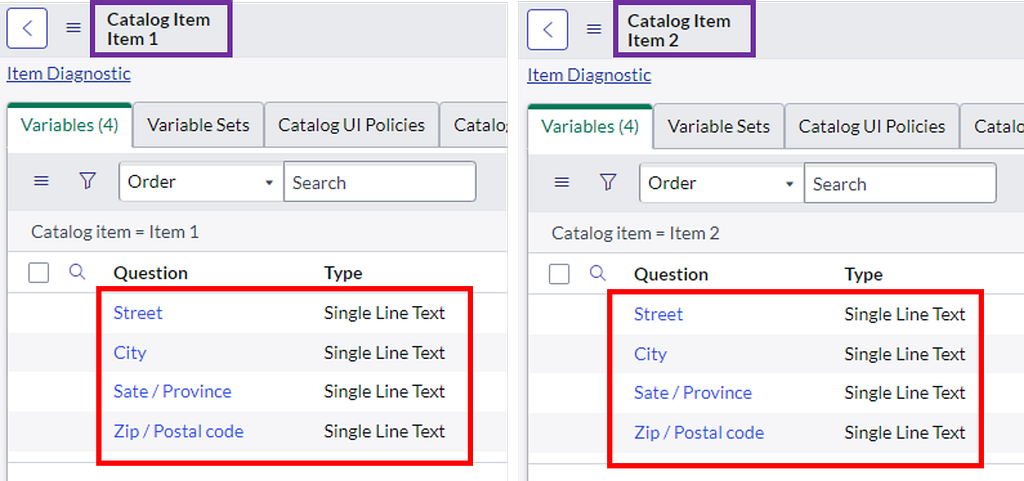
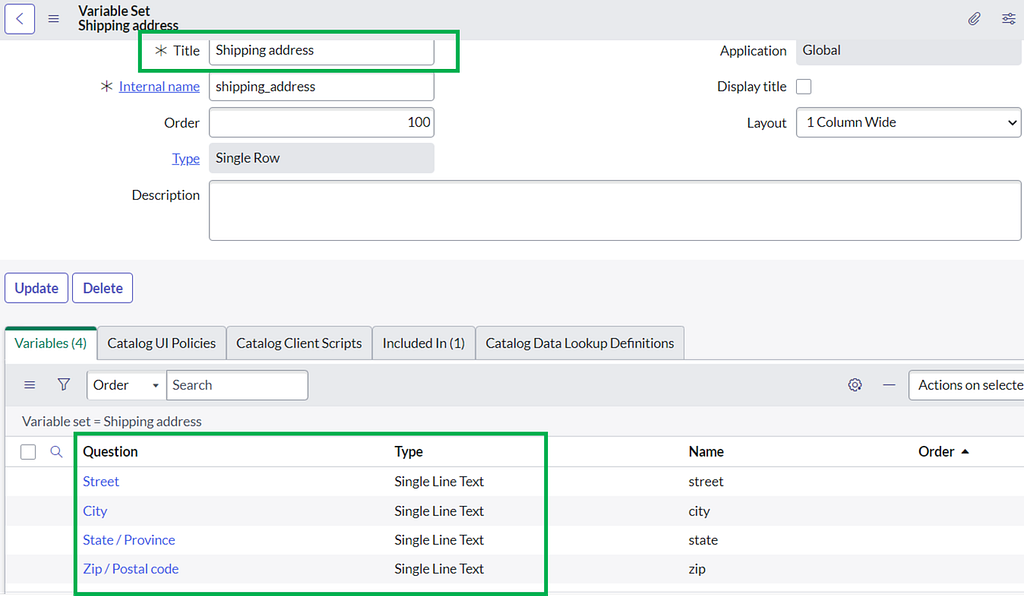
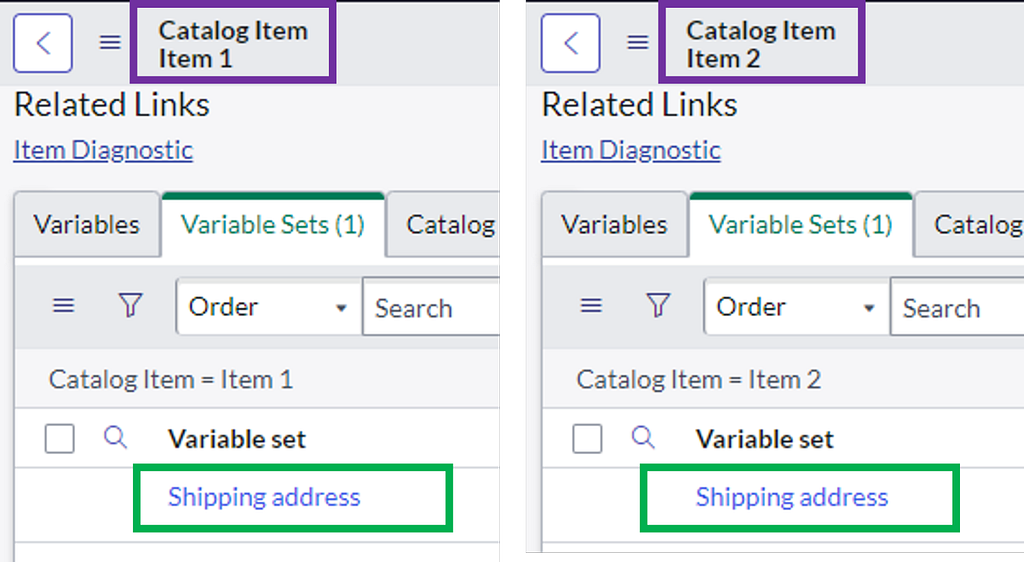
Often, individual variables are relevant to more than one Catalog Item. Instead of creating these variables individually for each Catalog Item, a better approach would be to create a Variable Set and share it between multiple Catalog Items. The main benefit is that is saves a lot of time and effort during implementation as well as maintenance in the future. Furthermore, client-side logic such as Client Scripts or UI Policies can be bound to those variable sets and must therefore only be implemented once instead of for each Catalog Item individually.
Bad Practice: Re-creating the same variables for different Catalog Items
Good Practice: Create one Variable Set and share it among multiple Catalog Items
2. Client-Side Validation is Not Secure, Use Server-Side for Data Validation
In all web applications, client-side validation can technically be bypassed in some way or another. The same of course applies to ServiceNow. Therefore, the general rule should be: “Use Client-side validation for UI/UX design features only and use server-side validations on all integral components of security and data handling”. When developing Catalog Items, it therefore crucial to ask yourself: “What would happen if this Client Script/ UI Script or field setting was bypassed by a malicious user?”
In the following, I will provide a simple example on how a malicious user could bypass the “read-only” property on the client-side. For this, the attacker can use the “inspect” feature of his Chrome browser and manipulate the corresponding HTML element by removing the read-only property. The user can now edit the field and set a new “malicious” value. It now depends on the ServiceNow backend configuration whether the Catalog Item has been built in a secure way.
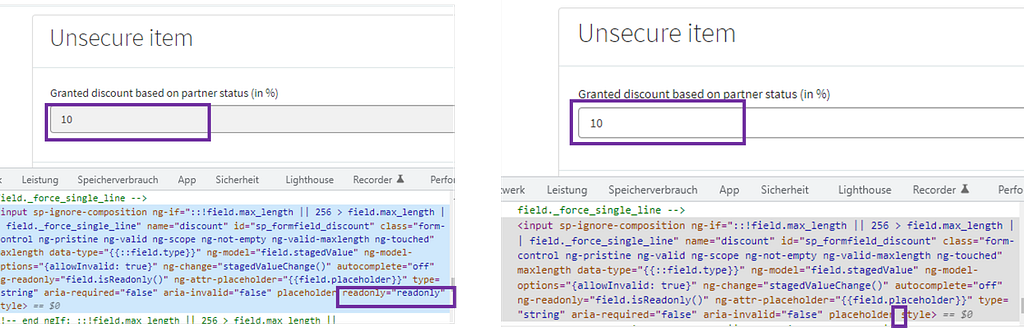
Bad Practice: The backend trusts that the client-side has properly validated the user input and calculates the price based on the submitted value
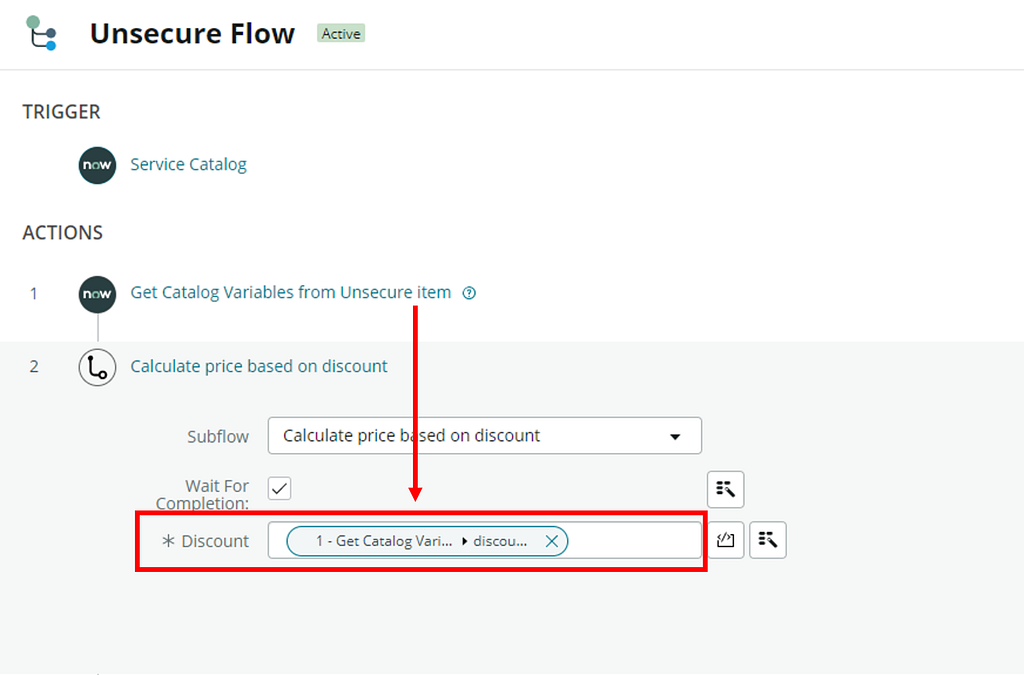
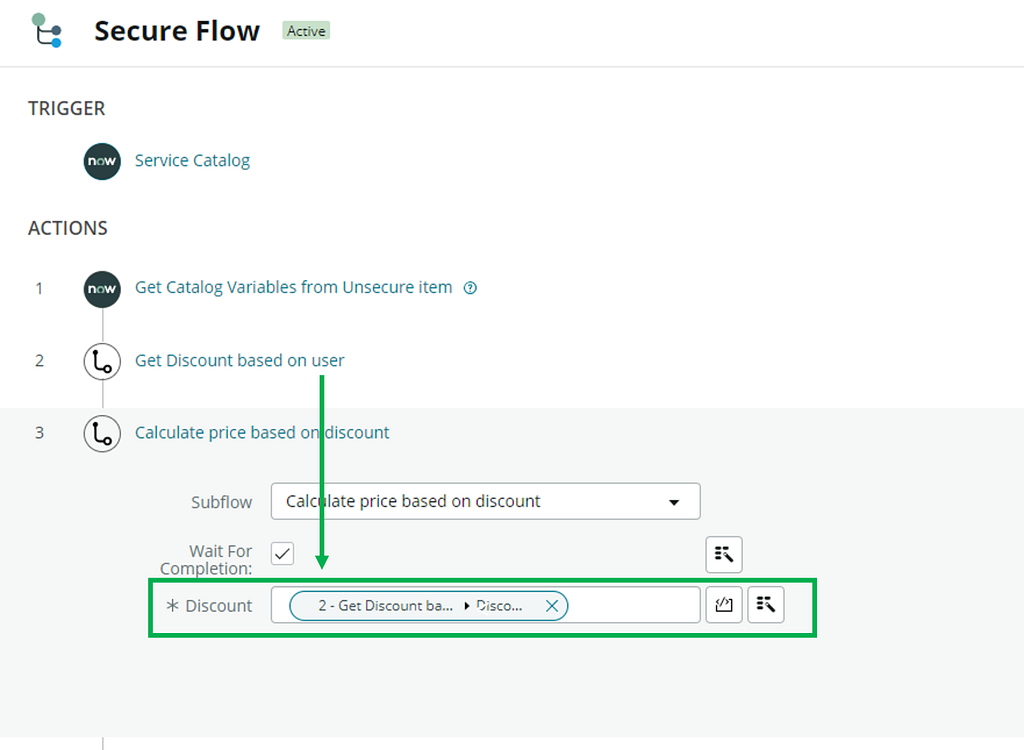
Good Practice: The backend retrieves the discount value by itself via a backend process (Flow) and does not blindly trust the client-side validated data. The discount field on the form is only used to provide a good user experience and is not used for any critical business logic.
3. Simplify Input Validations with RegEx
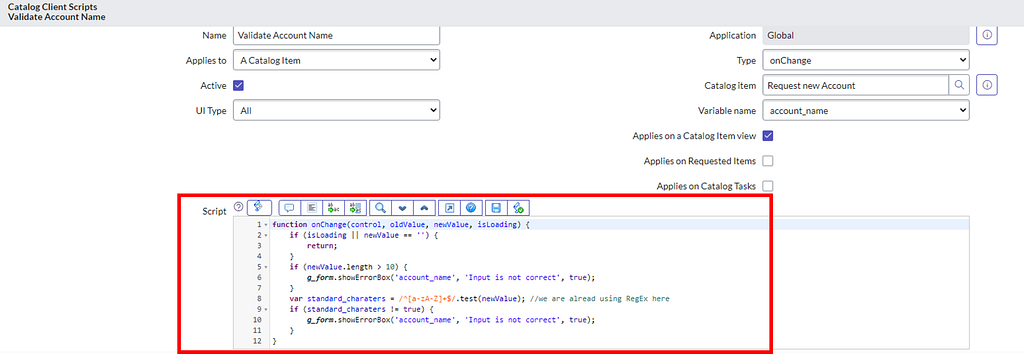
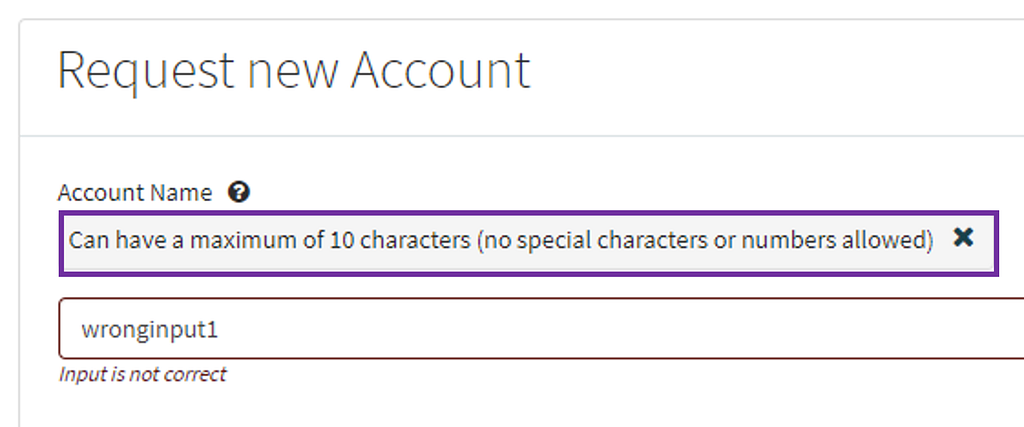
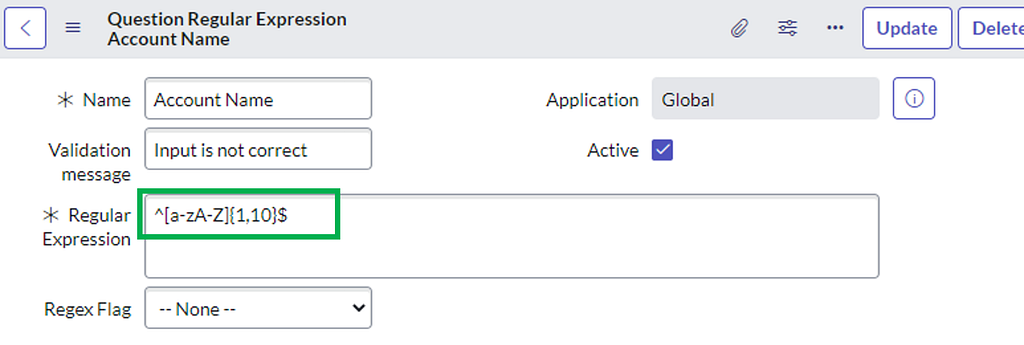
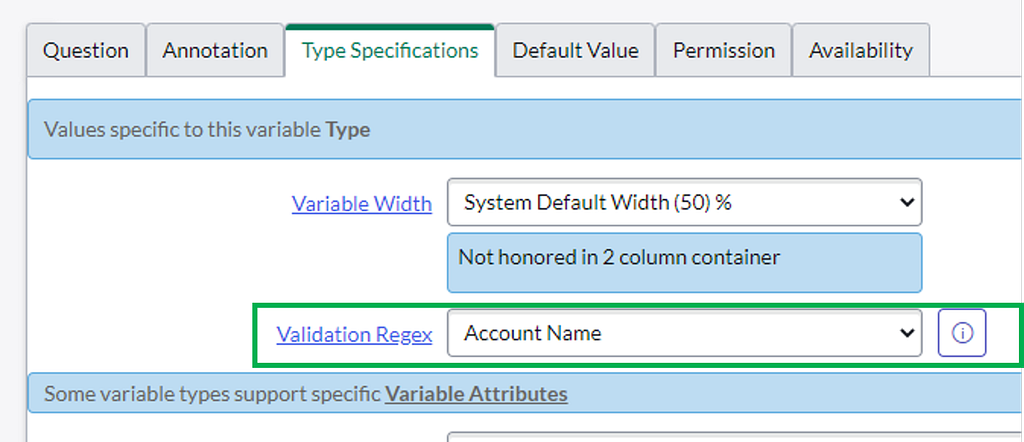
Input validation, specifically on text fields, is often done with complex “on change” Client Scripts. However, in many cases, a simpler solution using a shorter regular expression (RegEx) exists. One benefit of regular expressions is that they can be re-used on other catalog variables as well as backend fields. Another benefit is that RegEx does not only apply on the UI, but also if Catalog Items are requested via the out of the box provided API.
Bad Practice: Achieve input format validation with a complex on change Client Script
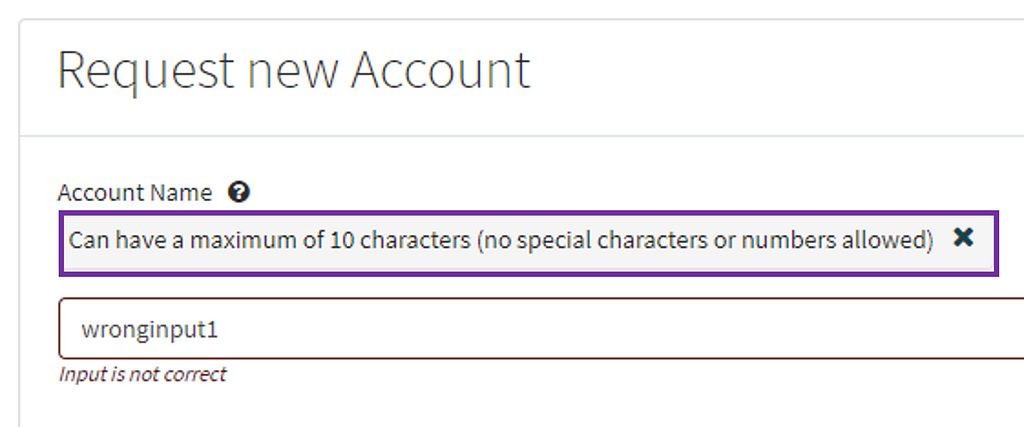
Good Practice: Achieve input format validation with a simple RegEx
4. Combine Variables in a Multi-Row Variable Set
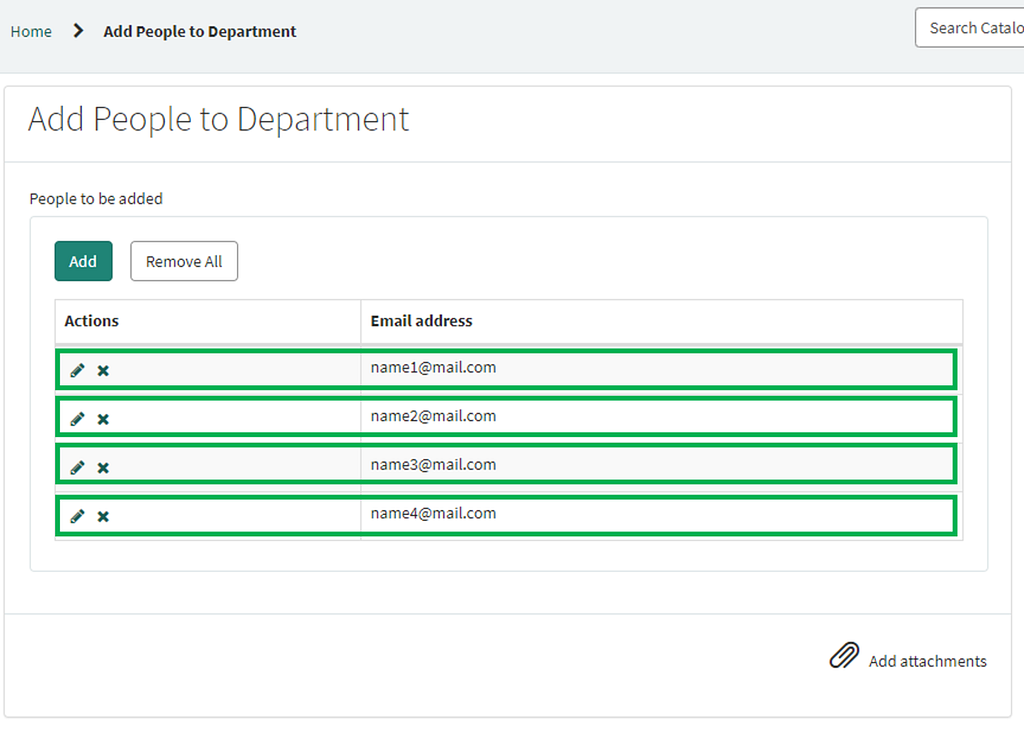
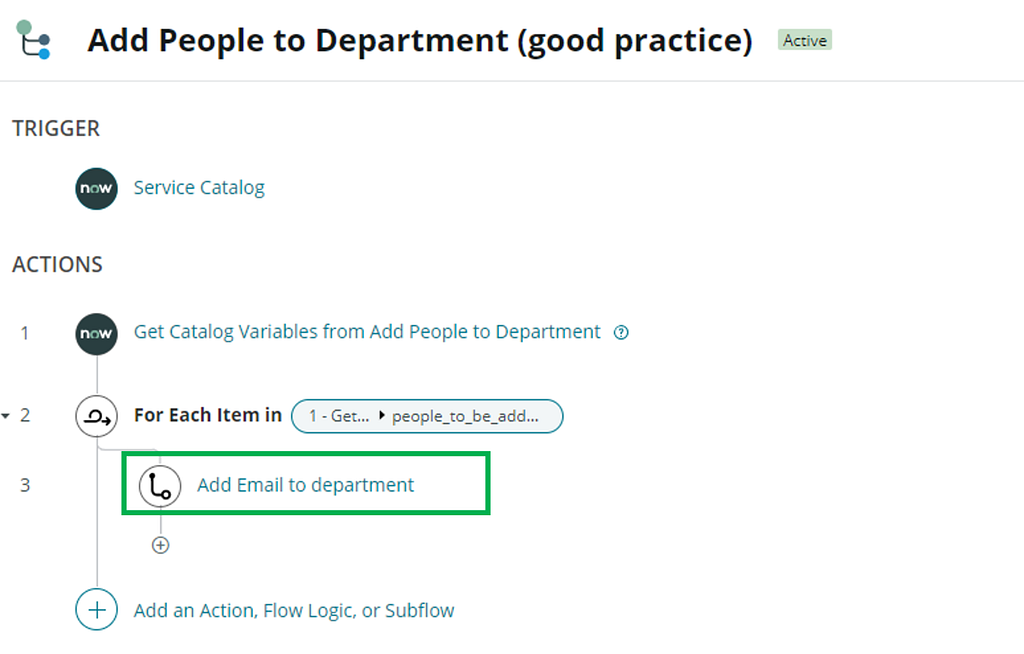
Instead of creating the same type of variable multiple times on a single Catalog Item, use a Multi-Row Variable Set and save time during implementation and maintenance. Furthermore, Multi-Row Variable Sets work perfectly together with the “for each” Flow functionality. Instead of performing a Flow step for each item individually, you can loop over the variables and repeat the same action multiple times.
Bad Practice: Create the same type of variable multiple times on one Catalog Item
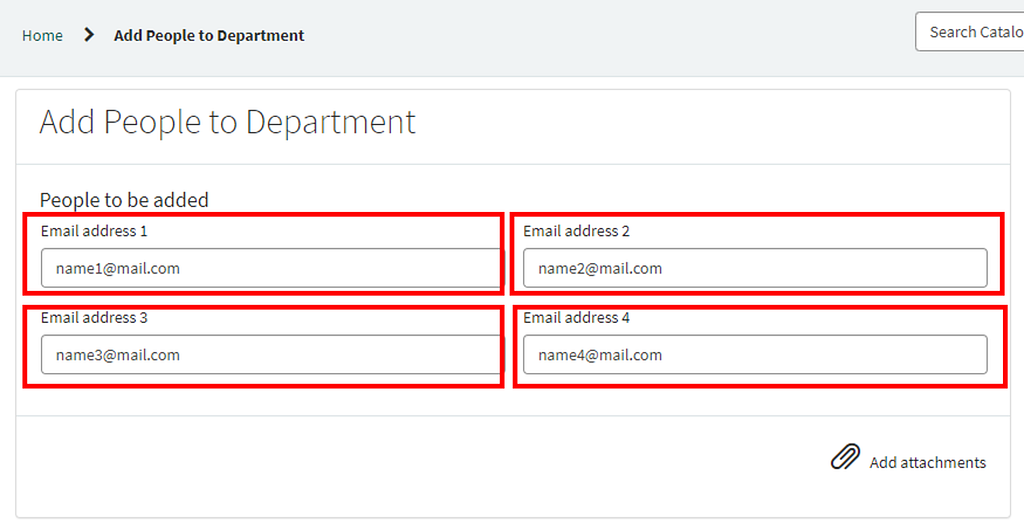
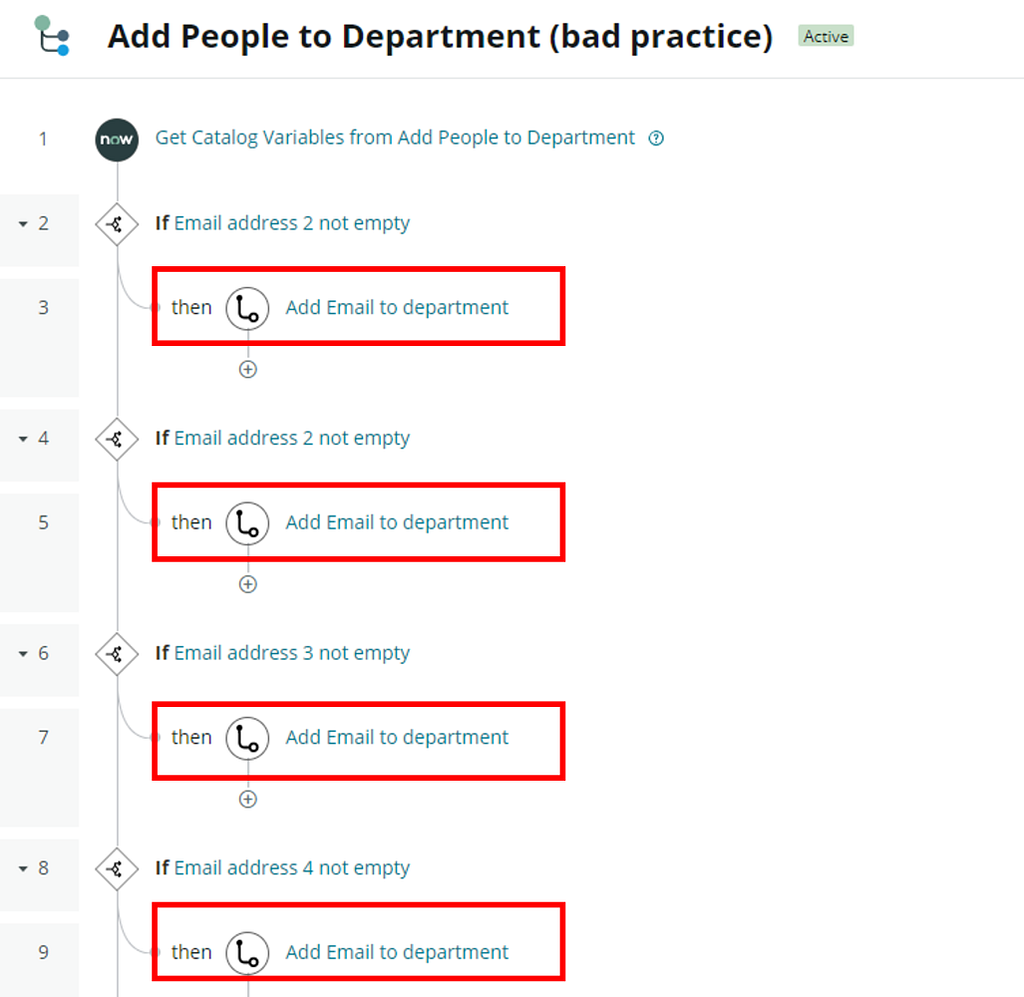
Good Practice: Use a Multi-Row Variable Set and Use a Multi-Row Variable Set and leverage the “for each” functionality in Flow Designer
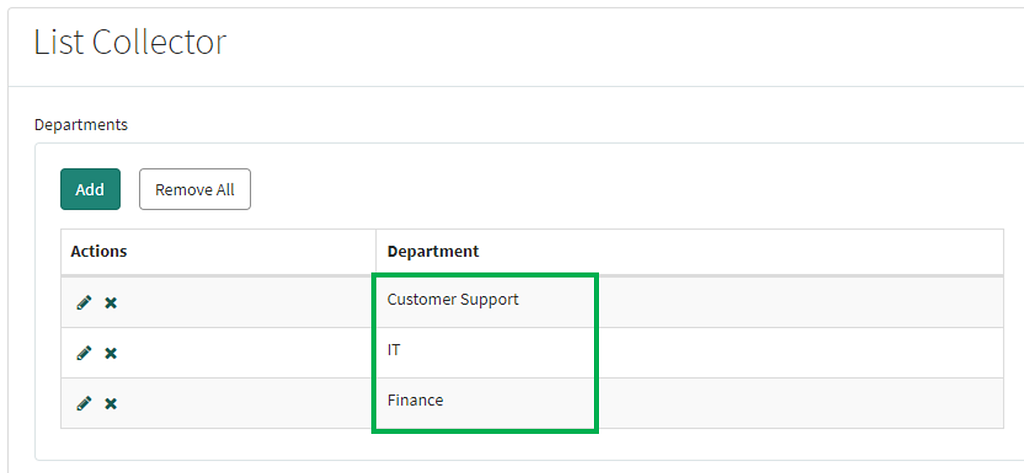
5. Avoid List Collector Variable Types
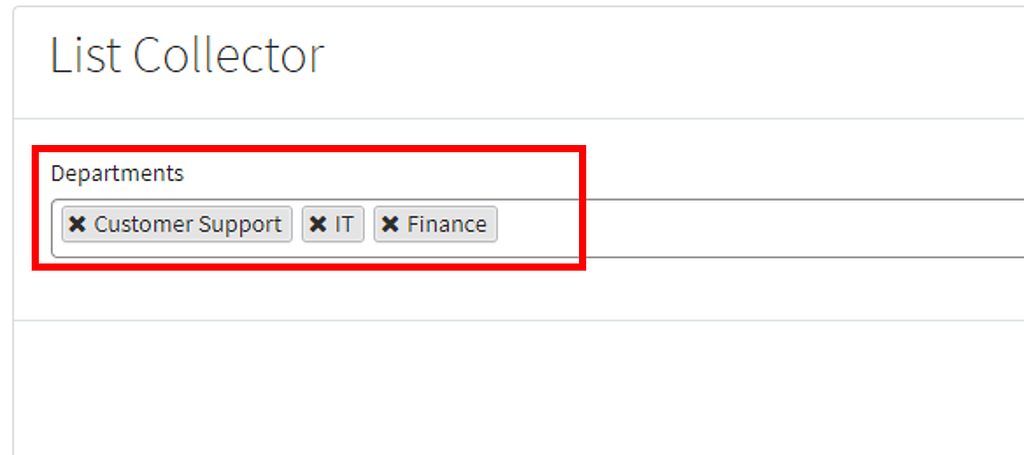
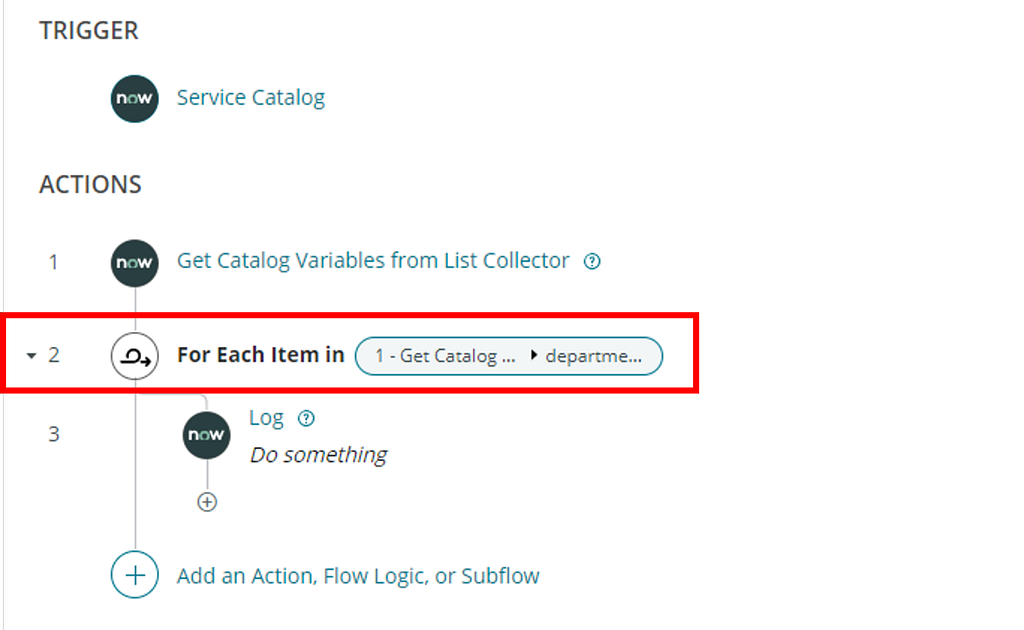
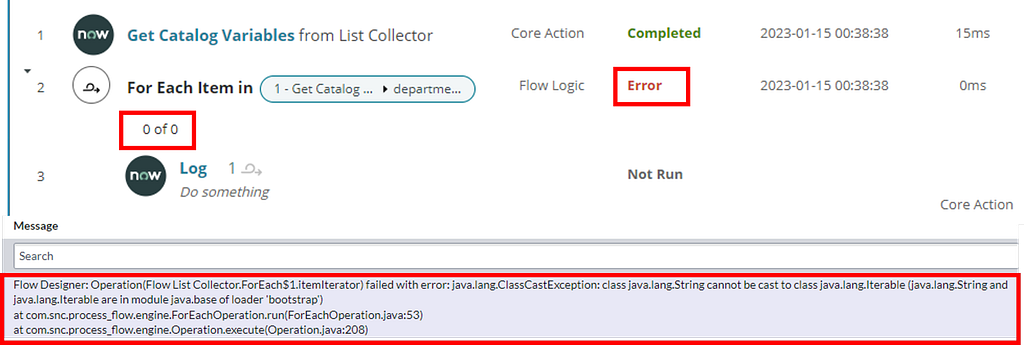
Unfortunately, List Collector variables are currently not supporting the same “Out of the box” functionalities as other variable types. For example, in the Tokyo release, Flow Designer cannot properly process the values of Collector Variables and will crash if the “for each” functionality is used (see following screenshots).
Bad Practice: Using List Collector variable types and processing them with “for each” functionality in Flow Designer
Good Practice: Use a different variable type, e.g. Multi-Row Variable Set to achieve the same outcome