I Kept Solving the Same ServiceNow Problem — So I Turned It into a Product
If you work with ServiceNow as a developer, architect, or consultant, you probably know the feeling: you keep searching for the same system properties...
I Kept Solving the Same ServiceNow Problem — So I Turned It into a Product
If you work with ServiceNow as a developer, architect, or consultant, you probably know the feeling: you keep searching for the same system properties over and over again.
What was the property for enabling Flow Designer logging again? What exactly does this newer property do? Did the default value change? Is it something that matters for performance, security, or just debugging?
Usually, the issue is not that the property is impossible to find. The real issue is that finding the right property with the right context still takes more time than it should.
Looking it up has never felt great
For a long time, the usual process was the same: search the docs, dig through community threads, or check old project notes. Now a lot of people just ask an AI tool instead.
That is definitely faster, but it still does not completely solve the problem.
The quality of the answers can vary a lot, especially for niche ServiceNow topics like system properties. Official information is often spread across different places. Community discussions are inconsistent. And general AI tools can be useful, but they are also quick to hallucinate when the source material is thin or unclear.
After a while, I realized I was solving the exact same lookup problem again and again. So I decided to build myself a shortcut.
It started as a simple Excel file
At first, my solution was nothing fancy. I just kept an Excel file with system properties and short notes about them.
The goal was simple: save time.
I wanted one place where I could quickly check what a property does, what part of the platform it affects, and whether it was worth digging into further. It became especially useful after upgrades, in fresh PDIs, or during troubleshooting when I needed answers quickly.
Eventually, it hit me that this probably was not just my problem. A lot of ServiceNow developers likely have their own version of the same workaround: bookmarks, notes, spreadsheets, snippets, or carefully written prompts.
That was the moment I decided to turn my private workaround into something other people could use too.
That is how sysproperties.do began.
How sysproperties.do works
The idea behind the site is pretty simple.
On a regular basis, I export available sys_properties from a PDI and add them to the dataset. That way, the list keeps growing over time and new properties get included. I also try to identify official ServiceNow documentation automatically through a search process. Based on that input, I generate a dedicated page for each property.
Each page is meant to answer the key questions quickly:
What is the property name?
What is the default value?
What does it actually do?
What area does it affect?
Are there related properties worth checking too?
The goal is not to replace official documentation. The goal is to make it easier and faster to get to the practical answer when you are working on the platform.
Why I added AI
Since we are obviously in the AI era, it felt natural to take it one step further and add AI-based ways to interact with the data.
I added two main features.
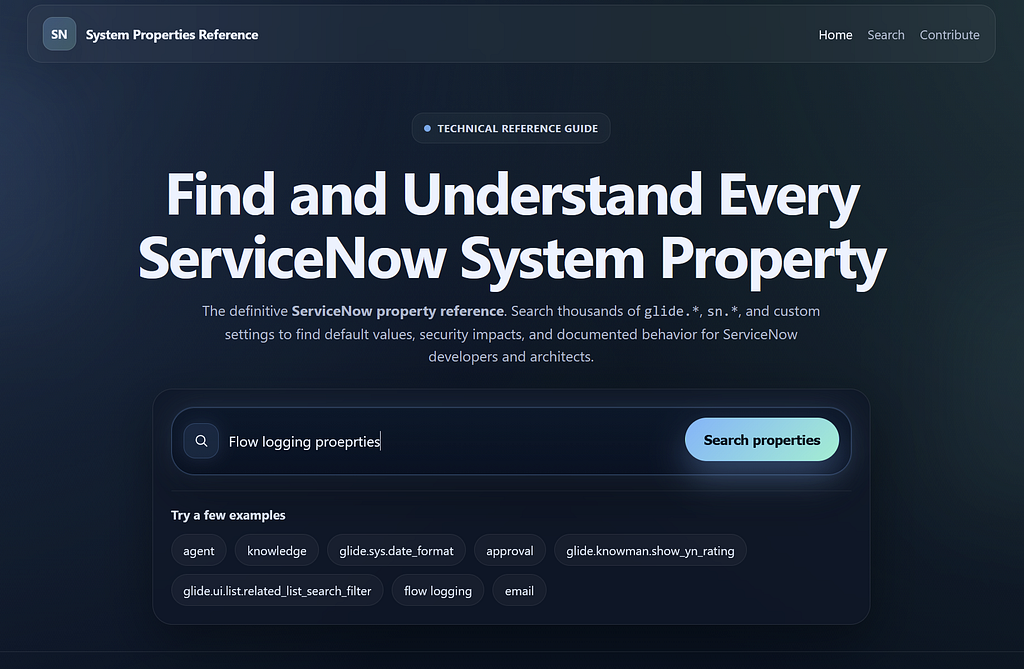
1. AI search on the homepage
A lot of the time, the biggest challenge is not understanding a property. It is remembering its exact name.
Maybe you only remember that it had something to do with logging, email behavior, related lists, or some UI setting. Traditional search is not always great in those cases because it depends too much on exact wording.
The AI search on the homepage is meant to fix that. Instead of typing the precise property name, you can describe what you are trying to find in plain language. The search then tries to match your description to the most relevant property from the list of known properties.
That makes things faster, but more importantly, it makes the result more reliable. Because the search is grounded in a list of properties that actually exist, the chance of getting a completely made-up property name is much lower.
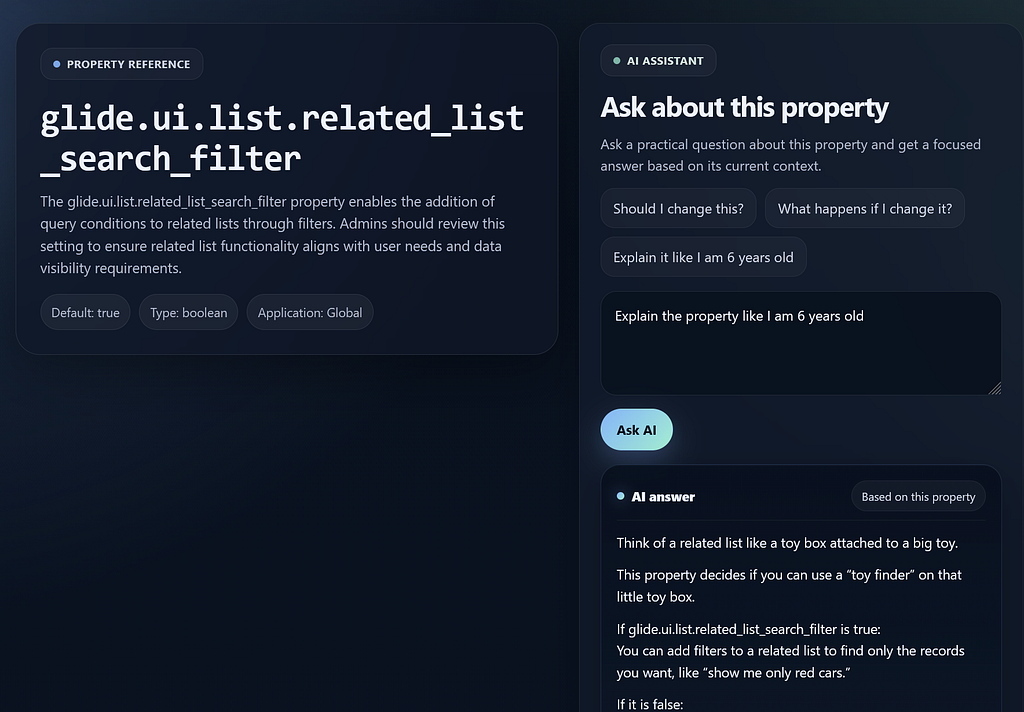
2. AI follow-up questions on each property page
Once you have found the right property, the next question usually is not just, “What does this do?”
It is something more practical:
What happens if I change it?
Is this relevant in production or only for debugging?
Could this affect performance?
Was it introduced recently?
What else should I review alongside it?
That is why each property page is more than just a static reference page. It also supports follow-up questions.
For that part, the site uses a real LLM together with online search and the property context that is already available on the page. The goal is to get more precise answers while keeping hallucinations as low as possible.
That is the feature I personally find most valuable. A static description helps with quick lookups, but the real value usually starts with the second question.
What is next
Right now, the focus is on making the content better and the experience more useful.
That means expanding the dataset, improving the generated descriptions, and refining the AI experience based on real usage and feedback. Over time, I want to make it a more trustworthy place for ServiceNow-specific property knowledge than a generic AI prompt without context could ever be.
If you work with ServiceNow regularly, you might find it useful:
At the very least, it has already saved me from solving the same lookup problem over and over again.